facebook pixel Tutorial Cartoons and Comics - funny pictures from CartoonStock

Tutorial cartoons and comics

Mastering new skills can be challenging, but with the right cartoon, even the trickiest tutorial becomes a source of amusement. Here you’ll find a vibrant mix of styles—comic strips capturing the step-by-step confusion of DIY projects, sharp-witted single panels poking fun at learning curves, and clever satirical illustrations offering playful commentary on instructional guides. Perfect for editors seeking an engaging visual, educators hoping to lighten up lesson material, or social media managers wanting to spark conversation, these professionally crafted cartoons deliver both insight and laughter. Each piece is available for licensing through CartoonStock. Browse the collection and find the perfect cartoon to bring tutorials to life.
Tutorial Cartoon #10

tutorial cartoon with nft and the caption "Okay, Ernest, I'm ready to start my tutorial on NFTs."  "So, an NFT is a unique digital asset that can be transferred from seller to buyer."  "It is stored on a blockchain, which is a series of irreversible digital entries in a distributed ledger."  "I'm more lost than before we started."  "It's still ten bucks. I take crypto." by Jim Toomey

"Okay, Ernest, I'm ready to start my tutorial on NFTs." "So, an NFT is a unique digital asset that can be transferred from seller to buyer." "It is stored on a blockchain, which is a series of irreversible digital entries in a distributed ledger." "I'm more lost than before we started." "It's still ten bucks. I take crypto."

"Okay, Ernest, I'm ready to start my tutorial on NFTs." "So, an NFT is a unique digital asset that can be transferred from seller to buyer." "It is stored on a blockchain, which is a series of irreversible digital entries in a distributed ledger." "I'm more lost than before we started." "It's still ten bucks. I take crypto."
Jim Toomey See This Cartoon

Tutorial Cartoon #21

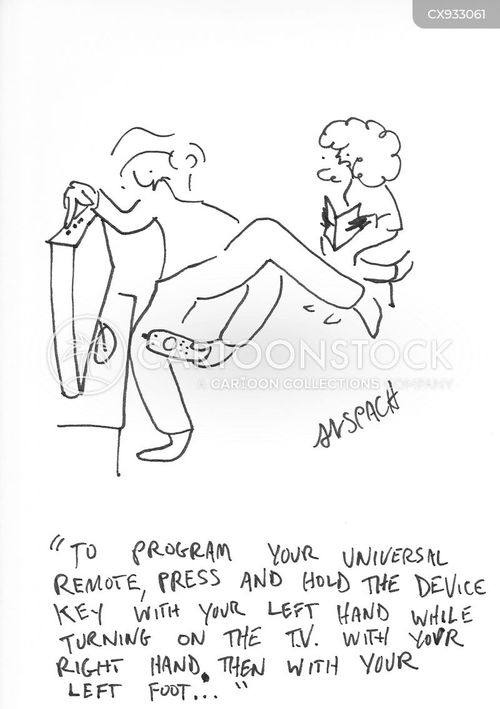
tutorial cartoon with universal and the caption "To program your universal remote, press and hold the device key with your left hand while turning on the TV with your right hand, then with your left foot..." by Jacob Alspach

"To program your universal remote, press and hold the device key with your left hand while turning on the TV with your right hand, then with your left foot..."

"To program your universal remote, press and hold the device key with your left hand while turning on the TV with your right hand, then with your left foot..."
Jacob Alspach See This Cartoon

Use the following code at checkout:

ONEBUCKCHUCKLES

Coupon will be applied to your cart. Offer is limited to one cartoon per customer and does not include web and publication licenses. Some collections/images may be excluded from this offer.